Complete Guide to Smart Home Security Systems in 2025
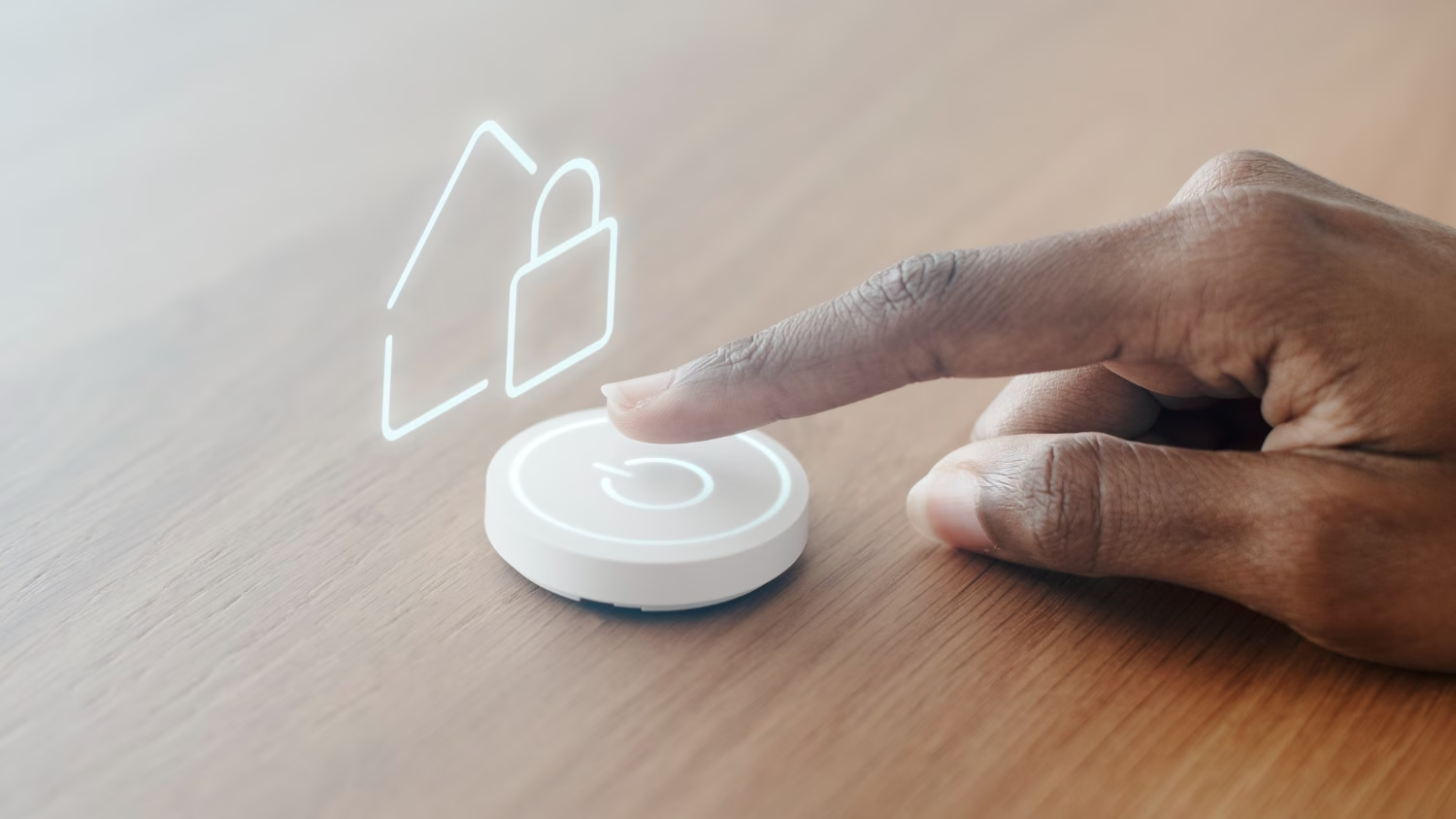
If you’re thinking about upgrading your home’s protection, smart home security systems offer a flexible, DIY-friendly way to stay safe and connected. From indoor cameras and motion sensors to smart locks and mobile alerts, today’s systems can be customized to fit apartments, houses, and everything in between. This guide walks you through the top smart home security systems available today—what they include, how they work, and which ones make sense for your setup.
What Makes Up Smart Home Security Systems?
A smart home security system is more than just a camera on your porch; it’s a combination of connected devices that work together to help you monitor, secure, and control your home from anywhere. Here’s a breakdown of the key components you’ll typically find:
Cameras (Indoor & Outdoor)
Smart cameras let you keep an eye on your property in real time, whether you’re at home or away. Most offer motion detection, night vision, two-way audio, and cloud or local recording options. Outdoor models are usually weatherproof, while indoor cams are great for checking in on pets or packages.
Motion Sensors & Contact Sensors
These small, often wireless sensors are the backbone of most security kits. Motion sensors detect movement in a room or hallway, while contact sensors (also called entry sensors) are placed on doors and windows to alert you when they’re opened or closed unexpectedly.
Smart Locks & Doorbells
A smart lock lets you lock or unlock your door remotely, share digital keys, and see who’s coming and going. Meanwhile, video doorbells combine a camera, motion sensor, and intercom so you can see and talk to visitors even when you’re not home.
Hubs & Alarms
A hub connects all your devices and allows them to work together, especially if you’re using multiple brands or platforms. Some systems also include a siren or alarm module that sounds off when a threat is detected, adding an extra layer of deterrence.
App Notifications & Cloud Storage
Smart security systems rely on apps to keep you informed in real time. Whether it’s a door opening or motion in the backyard, you’ll get alerts on your phone. Many systems also offer cloud storage for video clips or local storage as a subscription-free alternative.
Affiliate Disclosure
This post contains affiliate links. If you click a link and make a purchase, we may earn a small commission at no extra cost to you. As an Amazon Associate, we earn from qualifying purchases.
Best All-in-One Smart Home Security Systems
These systems come bundled with the essential components most households need: sensors, cameras, a central hub, and app-based control. Whether you want something simple or expandable, these kits offer a strong starting point.
Ring Alarm Pro
Ring’s Alarm Pro system combines traditional home security features with built-in eero Wi-Fi 6 router support, making it ideal for Alexa homes. It supports both DIY installation and optional professional monitoring, with cloud-based video storage for Ring cameras.

- Ring’s best home security system with built-in eero Wi-Fi 6 router to help protect against break-ins, and more. Plus, Alarm Pro ensures your connected home runs on a secure mesh wifi network.
- Customizable home protection. This kit includes one Alarm Pro Base Station, one Keypad, four Contact Sensors for windows/doors, one Motion Detector for one hallway/room, and one Alarm Range Extender. Cover more rooms and detect more threats when you add Alarm Sensors, and eero 6 extenders, all sold separately, at any time.
- Fast and secure internet. Helps keep your devices connected with reliable wifi with speeds up to 900 mbps and covers up to 1,500 sq. ft. Create a secure network with optional online threat protection.
- Easy installation. Everything you need for installation is in the box. Simply plug-in the Pro Base Station, set up via the Ring and eero Apps, and place your sensors in your ideal locations.
- More peace of mind. Subscribe to a compatible Ring Protect Plan (sold separately) to Arm your Alarm from anywhere, keep your system online if the Wi-Fi goes down, and more. Plus, get 24/7 Professional Monitoring for emergency police, fire and medical response, and more.

SimpliSafe 8-Piece Wireless Home Security System
SimpliSafe is a go-to for renters and homeowners alike thanks to its contract-free monitoring and straightforward setup. The base kit includes entry sensors, motion detection, and a wireless keypad, and it’s expandable to include cameras, glass break sensors, and smart locks.
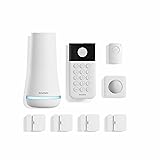
- Simple to set up. Seriously secure – Get ready to protect right out of the box. Just plug in the Base Station, download the SimpliSafe App, place your sensors, and start protecting your home. No wiring or drilling required. Or contact SimpliSafe directly if you need help installing your system.
- 1 FREE month of professional monitoring for fast police response when you need it most. With optional monitoring services, our agents keep watch even when you can’t, ready to instantly alert emergency responders. Starting at less than $1/day with no long-term contracts or hidden fees. (SimpliSafe products and professional monitoring services are only offered for sale and supported in the US)
- Complete control of your system with the SimpliSafe App – Arm, disarm and protect anytime, anywhere.
- Protection for entry points – Entry Sensors protect windows, doors, and cabinets and alert you when someone tries to enter. Customizable and can send Secret Alerts so you are quietly alerted if someone accesses private areas, without sounding an alarm.
- Blanket a whole room – Motion sensors detect motion within 35 feet, have a 90 degree field of view and get along great with pets under 60lbs. Perfect for full room coverage when placed in a corner.
Abode Security Kit
Abode stands out for its wide smart home compatibility; it works with Alexa, Google Assistant, and Apple HomeKit. Their kits are fully modular, and you can add door sensors, cameras, and Z-Wave devices as needed.

- INDUSTRY LEADING WHOLE HOME SECURITY – Abode’s Smart Security System is expandable to meet your exact needs, and works with more security accessories and smart home products than any competitor. The 4-piece kit includes a central security hub (with a built-in 93dB siren, backup battery, and reliable ethernet connectivity), a motion sensor, a key fob, and a mini door/window sensor to get you started. Works with Alexa, Google Assistant, and Siri.
- WORKS WITH APPLE HOMEKIT – the Smart Security System remains the only home security system (DIY or pro) that has been tested and certified for Works with Apple HomeKit, and can be monitored and controlled via the iOS Home app.
- CUSTOMIZE YOUR SECURITY SYSTEM — add additional Abode sensors or cameras to monitor all accessible doors/windows, water leaks, smoke detectors, CO2 alarms and more.
- Z-WAVE & ZIGBEE SMART HOME HUB – In addition to the large ecosystem of Abode products you can add to this system, the Smart Security Hub controls Z-Wave and Zigbee compatible smart accessories like locks, lights and devices with sensors.
- PROFESSIONAL MONITORING — add 24/7 professional monitoring for as little as 60 cents per day to automatically dispatch police, fire and medical help when needed.
Wyze Home Monitoring Starter Kit
Wyze offers one of the most affordable full-system setups, with sensors, a hub, and app-based control included. While it doesn’t come with a camera, it integrates well with Wyze’s budget-friendly video doorbells and indoor cams.

- Requires Wyze Home Security System Core Kit. This device will NOT function as an individual or standalone product.
- Place the Wyze Keypad anywhere in your home to arm and disarm your system quickly or send first responders with on-device emergency button.
- Fully wireless – 500ft/152m range – works well for most sized homes.
- Backlit keys are motion activated to turn on automatically when you are near.
- Built-in emergency button lets you quickly send for emergency first responders.
Build-Your-Own System: Best Individual Components
For those who want more control or already have part of a system in place, building your own smart home security setup can be more flexible and, in some cases, more affordable. Here are some of the best individual components to consider.
EufyCam 2C Pro (2-Cam Kit)
Eufy offers local storage with no subscription required, making it a popular choice for privacy-focused users. The 2C Pro version includes two 2K-resolution wireless cameras with AI motion detection and HomeBase hub integration.

- 2K Resolution: When it comes to security, the key is in the detail. See exactly what is happening in and around your home in crisp 2K clarity (1080p while using HomeKit).
- Detailed Night Vision: View recordings or live footage in crisp clarity, even at night, for a clear view of who are there.
- The Alerts That Matter: Human detection technology enables the camera to intelligently detect body shape and face pattern. Ensuring you are only alerted when a person, and not a stray cat, approaches.
- Ready for Any Weather: With an IP67 weatherproof-rating, eufyCam 2C Pro is built to withstand the elements
Google Nest Doorbell (Battery)
A great option for Google Home users, the Nest Doorbell offers intelligent alerts like package detection and person recognition. It can run on battery or wired power and integrates tightly with the Google Home app.

- The Nest Doorbell has built-in intelligence and can tell the difference between a person, package, animal, and vehicles and send you an alert in the Google Home app[1], no subscription required
- Easily check in from anywhere 24/7 with live HD video with HDR and night vision[1]; see what you missed with 3 hours of free event video history[2]; or add a Nest Aware subscription (sold separately) for up to 60 days of event video history[3]
- If your Wi-Fi goes down or there’s a power outage, the Nest Doorbell will store up to 1 hour of recorded events so you can see what you missed[4]
- The Nest Doorbell is easy to install wired or wire-free; the built-in battery means it works with any door, or connect it to your existing doorbell wires with the included wire connector
- Whether you choose battery or wired installation, the battery-powered Nest Doorbell cannot continuously record 24/7 video history, even with a Nest Aware subscription
August Wi-Fi Smart Lock (4th Gen)
The August lock is a top pick for renters and homeowners who want to add smart access control without replacing the entire deadbolt. It works with Alexa, Google, and Apple HomeKit, and installs easily on your existing lock.

- SMARTER LOCK, SAME DEADBOLT: Your August Wi-Fi Smart Lock installs on the inside of your door without having to replace your existing deadbolt, so you can keep your keys. Mount your Yale Keypad anywhere within Bluetooth range of your smart lock.
- ACCESS FOR ALL: Everyone in your household can come and go as they please by using Auto-Lock, Auto-Unlock, custom entry codes on the Yale Keypad, or the Yale Access app for ultimate convenience. *Already have an August Home account? You can use your existing August credentials to log into the Yale Access app.
- NO MORE HIDING KEYS: Share custom entry codes through the Yale Keypad to provide access to family members, friends, or guests and know they’ve arrived home safe with the 24/7 Activity Feed in the Yale Access app.
- SMART FROM THE START: Everything you need to get phone-free and key-free entry to your home is already in the box, plus with built-in Wi-Fi, there’s no additional hubs or hardware required.
- Heading out in a rush? Your door will Auto-Lock behind you once DoorSense detects that your door is closed.
Aqara Hub M200
The Aqara Hub M200 is a reliable and affordable choice for connecting Aqara’s Zigbee-based devices, like their popular door/window sensors and mini smart buttons, to your smart home ecosystem. It supports Apple HomeKit, Alexa, and Google Home, and offers local automation for faster, more private control.
If you’re building a smart security setup using Aqara accessories, this hub is a great starting point.

- [Multi-Protocol Hub with Matter Bridge] The Aqara Hub M200 is a versatile smart hub that supports multiple advanced features, acting as a Matter Controller, Thread Border Router, and Matter Bridge. It integrates third-party devices into the Aqara Home app. With advanced Matter bridging functionality, it syncs Aqara-exclusive features with ecosystems like Home Assistant, Apple HomeKit, Alexa, and Google Home for seamless integration. Supports up to 40 Aqara Zigbee devices and 40 Thread devices.
- [Smart IR Blaster with Feedback and Learning] The 360°IR blaster not only sends commands but also provides accurate status updates by detecting traditional remote use. It connects IR air conditioning units to Matter, functioning as an AC thermostat when paired with an Aqara Temperature and Humidity Sensor. (Note: Only one AC device can be exposed to Matter. Functionality may vary based on the Matter integration app. For Apple Home exposure, use Matter integration instead of HomeKit.)
- [Wired & Wireless Connectivity with PoE Support] Enjoy flexible setup with dual-band Wi-Fi (2.4/5 GHz) using advanced WPA3 security, and Power over Ethernet (PoE), making the M200 a versatile PoE Ethernet Smart Home Hub. The USB-C port supports mini-UPS or power bank connections for uninterrupted operation, ensuring your energy-saving and security automations stay online. (*2A USB power adapter is not included. )
- [Home Automation and Alarm System] Works with all Aqara devices to create a comprehensive, smart home automation system. The Aqara Hub M200 is equipped with a built-in speaker that can be used in a variety of ways: security alerts, doorbell, alarm clock, and custom audio messages. (** 𝐍𝐨𝐭 𝐭𝐡𝐢𝐫𝐝-𝐩𝐚𝐫𝐭𝐲 𝐙𝐢𝐠𝐛𝐞𝐞 𝐝𝐞𝐯𝐢𝐜𝐞𝐬)
- [Local Automation for Reliable Performance] Supports local execution of automations for Zigbee and Matter devices, ensuring smooth operation even without Wi-Fi or cloud access. Enjoy millisecond response times for a more stable and reliable smart home experience. (Some automation, such as cloud push notifications, will still require the cloud connection to be executed.)
Optional Upgrade: Aqara Hub M3
For users looking to future-proof their smart home, the Aqara Hub M3 adds support for Matter and Thread, along with more robust local processing. It’s better suited for larger setups or homes using a mix of next-gen devices, but it comes at a higher cost.
Recommended Aqara Sensors to Pair With the Hub
Once you’ve chosen a hub, here are a few Aqara accessories worth adding to your smart security setup:
Aqara Door and Window Sensor
This small sensor notifies you when a door or window is opened, making it ideal for entryways, windows, or even mailboxes. It’s battery-powered and connects via Zigbee through your Aqara hub.

- [Notes] An Aqara Hub is required and sold separately. (Not compatible with hubs from other brands.) Requires a secure 2.4GHz Wi-Fi connection for Hub M2, M1S, E1, M1S Gen2, G2H Pro, and G2H; or 2.4/5GHz Wi-Fi for Camera Hub G3. (Hub M2 also supports wired Ethernet via RJ45.)(*Note: To ensure a stable connection, place the Door and Window Sensor main unit between the accessory unit is no more than 22 mm )
- [Proximity] For a sturdy connection, ensure that the Aqara Door and Window Sensor is within 400 inches of the Aqara Zigbee hub, and the hub is within the same range from the Wi-Fi router. Additionally, make sure the hub and the router are on the same local area network (LAN). Zigbee2MQTT and comparable third-party USB dongles are not officially supported by Aqara. Full product functionality may be limited or unavailable.
- [Unauthorized Entry Detection & Home Automation] The Zigbee Door Sensor alerts your phone and triggers the Aqara Hub’s local alarm upon unexpected door/window openings. It also controls other Aqara devices based on door/window status. Conveniently check your door or window, kids room and anywhere you want to be notified. ***Requires Aqara Hub,not third-party hub.
- [0.86 Inch Wide Gap Allowed]The Aqara Door and Window Sensor works with most types of doors, windows, and other fixtures with similar mechanism, such as drawers, cabinets, and more.(Note: Please ensure that the surface where you plan to stick the Aqara Zigbee Door and Window Sensor is flat and easily adhesive, and the allowed gap between the door is up to 0.86 inch.) The main sensor unit dimension:1.61*0.87*0.43 inch, the magnet dimension:0.79*0.39*0.39 inch.
- [Hands-Free Voice Control]Compatible with Apple HomeKit, Alexa for a hands-free experience.- no need to go downstairs or pick up your phone again. You’ll always know whether your home door is opening or closing (The Aqara Door and Window Sensor is not compatible with SmartThings currently.)
Aqara Motion Sensor P1
The P1 model offers adjustable sensitivity and a longer battery life than the original version. Use it to trigger lights, alarms, or routines when motion is detected.
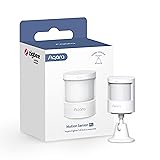
- [NOTES] Requires Aqara Zigbee 3.0 hub (Not compatible with other Zigbee hubs). Requires a secured 2.4 GHz Wi-Fi for Hub M2/M1S/E1/M1S Gen2 and Camera Hub G2H Pro/G2H, and 2.4/5 GHz Wi-Fi for Camera Hub G3.(Wired connection via Ethernet RJ45 for Hub M2 is also supported.) The Motion Sensor P1 is compatible with Aqara Home, HomeKit, Alexa, IFTTT, Home Assistant. (*Note: No light sensitivity function in HomeKit and Alexa; Please update hub firmware for optimal use.)
- [5-Year Battery Life] The Zigbee motion sensor boasts an impressive five-year battery life, maintaining reliable performance even in low temperatures or with lightning-fast detection timeouts. The Aqara Motion Sensor P1 dimensions are 1.46″D x 2.17″W x 2.76″H.
- [Configurable Detection Timeout] Easily adjust the Aqara motion sensor timeout without any hardware modifications. Through the Aqara Home app, configure the timeout from 1 to 200 seconds to save energy or capture every movement promptly. Zigbee2MQTT and comparable third-party USB dongles are not officially supported by Aqara. Full product functionality may be limited or unavailable.
- [Adjustable Viewing Angle & Detection Distance] Experience a wide detection range with a 170° field of view up to 4 meters and 150° up to 7 meters. The flexible 360° stand makes it easy to adjust the angle, so the motion sensor only triggers when needed. Choose from three sensitivity levels (high, medium, low) to fine-tune detection distance based on your setup. For a stable connection, ensure the motion sensor is placed within 393 inches (10 meters) of the Aqara Zigbee Hub.
- [Alert System and Home Automations] Set up the Aqara Home Alert System or integrate it with HomeKit and other supported systems for continuous monitoring and local sound, light alarms, and cloud notifications upon motion detection. The Zigbee motion detector seamlessly integrates into smart home automations. Easily configure “IF” and “THEN” smart automations, such as turning on lights via Aqara Smart Wall Switch or powering devices with the Aqara Smart Plug. **Requires Aqara Hub, not 3rd-Party
Aqara Wireless Mini Switch
A versatile button you can place anywhere to trigger scenes, control lights, or arm/disarm your system with a single press.

- 【Notes】AN AQARA HUB IS REQUIRED AND SOLD SEPARATELY.(NOTE:Not support hubs from other brands.) Requires a secured 2.4 GHz Wi-Fi network connection for Hub M2/ M1S/ E1/M1S Gen2 and Camera Hub G2H Pro/ G2H, and 2.4/ 5 GHz Wi-Fi for Camera Hub G3/Hub M3. ( Wired connection via Ethernet RJ45 for Hub M3/ Hub M2 is also supported). Additionally, please connect the Aqara Wireless Mini Switch to Aqara hub before connecting to Apple HomeKit or enabling skills in Google Home and Alexa.
- 【Proximity】For a sturdy connection, ensure that the Aqara Wireless Mini Switch is within 400 inches of the Aqara Zigbee hub, and the hub is within the same range from the Wi-Fi router. Additionally, make sure the hub and the router are on the same local area network (LAN).
- 【ONE TOUCH CONTROL & 3 CONTROL SETTINGS】A wireless versatile remote to control your smart home devices. Additionally, Set single press, double press, and long press to control programmable functions, such as turning on/off a device, activating a scene, etc.
- 【EMERGENCY BUTTON】When an emergency occurs in your house, your loved ones can press the button to send an alert notification to your device, or trigger the alarm sound on the Aqara Hub in another room.
- 【DOORBELL BUTTON】The device can also be used as a doorbell when connected to the Aqara Hub, which offers a selection of different ring tones.Please pull the battery tab out before use. If the device does not work, check to see if the battery is depleted.In addition, Aqara offers 12-months after-sales service. If you have any questions, please feel free to contact us.
Smart Home Ecosystem Compatibility
Before choosing a smart home security system, it’s important to consider which ecosystem you’re already using—or plan to use. Not all devices work seamlessly with every platform, and picking compatible products can make automation and control much easier.
Amazon Alexa
Alexa-compatible security systems are widely available and tend to offer the broadest device support. You can arm your system with a voice command, view live camera feeds on Echo Show devices, and create routines that include lights, locks, and sensors.
Works well with: Ring, Wyze, SimpliSafe, Abode, Eufy, August
Google Assistant
Google’s ecosystem integrates tightly with Nest products but supports many third-party devices too. You can use voice commands through Google Nest speakers and displays, view camera feeds on Chromecast-enabled TVs, and receive proactive alerts.
Works well with: Nest, Abode, Eufy, August, Wyze
Apple HomeKit
HomeKit is known for its privacy features and smooth automation, especially for iPhone and Mac users. Devices must meet strict requirements to gain HomeKit certification, so support is a bit more limited, but integration is very strong once set up.
Works well with: Abode, Aqara, Eufy (some models), August
Matter & Thread Support
As of 2025, more devices are adding support for Matter, the new smart home standard backed by Apple, Google, Amazon, and others. Thread is the mesh networking protocol that many Matter devices use. If future-proofing is important to you, look for systems that support these technologies.
Future-ready picks: Abode, Aqara Hub M3, newer Eufy and Aqara devices
Key Considerations Before You Buy
Before investing in a smart home security system, it’s worth thinking through a few key factors. These considerations can help you avoid surprises and choose a setup that fits your home, lifestyle, and budget.
Subscription vs No Subscription
Some systems, like SimpliSafe or Ring, offer optional monthly monitoring plans that include emergency dispatch and extended cloud storage. Others, like Eufy, offer local storage and notifications without any fees. Decide whether you’re okay with recurring costs—or prefer a system that works subscription-free.
⚠️ Good to Know: Even in systems that work without a subscription, key features like video recording or cloud access may be limited. Always check what’s included without a plan before you buy.
Local Storage vs Cloud
Cloud storage makes it easy to access footage from anywhere, but it usually comes with a fee. Systems with local storage, like Eufy or some SmartThings setups, store video on a hub or SD card and may appeal to privacy-conscious users.
DIY vs Professional Monitoring
DIY systems send push notifications to your phone and let you decide how to respond. Professional monitoring services, on the other hand, can dispatch emergency responders when needed. Some systems offer both, letting you choose what works best for you.
Power & Internet Backup Options
A reliable system should still work during an outage. Look for options with cellular backup and battery-powered sensors or hubs. For example, Ring Alarm Pro offers LTE backup and local video recording if your Wi-Fi goes down.
Scalability & Ecosystem Fit
Make sure the system you choose is expandable, especially if you plan to add more sensors, cameras, or smart locks later. Also, check that it’s compatible with your preferred smart home ecosystem (Alexa, Google Assistant, or Apple HomeKit).
Who Each System Is Best For
Not every smart home security system is built for the same situation. Here’s a quick breakdown of which systems work best for different types of users:
| Type of User | Recommended Option |
|---|---|
| Renters | SimpliSafe, Abode |
| Homeowners | Ring Alarm Pro, Arlo Secure |
| Budget-conscious | Wyze Home Monitoring, GE Cync Sensors |
| Apple users | Aqara, Eve, Abode (HomeKit-compatible) |
| Privacy-focused | Eufy (local storage), Home Assistant setups |
This helps you narrow your options based on your home situation, budget, and preferred ecosystem.
Frequently Asked Questions
Yes, many systems offer core functionality without a monthly plan. Brands like Eufy and Abode support app notifications and local video storage with no recurring fees. Just note that features like cloud recording or emergency dispatch may be limited without a subscription.
Not always. Some systems, like Ring or SimpliSafe, include a dedicated base station. Others, like Google Nest or Eufy, work independently using Wi-Fi. If you want to integrate devices across multiple brands or protocols (Z-Wave, Zigbee), a hub like SmartThings can help.
Most smart systems rely on Wi-Fi for real-time alerts and cloud access. However, some offer battery backup and cellular failover (e.g., Ring Alarm Pro or SimpliSafe with monitoring plans) so your home stays protected even during outages.
DIY systems have come a long way and now offer many of the same features as professionally installed ones, often at a fraction of the cost. If you’re comfortable setting up devices and managing alerts through your phone, DIY options are highly effective for most homes.
Final Verdict
Smart home security systems in 2025 are more powerful and flexible than ever, with options for every home size, budget, and tech setup. Whether you want a complete, all-in-one system like Ring Alarm Pro or prefer to build your own with components from Eufy, Aqara, or Nest, there’s something for everyone.
The best place to start is by identifying which ecosystem you already use—Alexa, Google, or Apple—and whether you want professional monitoring or a subscription-free setup. From there, choose a system that balances coverage, expandability, and ease of use.
Continue Your Smart Home Journey
Explore more of our smart home coverage to find the right setup for your space:
- Best Smart Home Devices for Beginners
- Apple HomeKit Devices Under $100
- Best Smart Home Devices for Renters
Need Help Choosing the Right Smart Security Setup?
Smart home tech can be overwhelming—especially when security is involved. If you’re unsure which system fits your home, devices, or budget, reach out to us for personalized advice. We’re happy to help you build a setup that works for your space.