Best Apple HomeKit Devices Under $100 (2025 Guide)
Looking to build a smarter home without leaving the Apple ecosystem? Whether you’re just getting started or expanding your setup, the best Apple HomeKit devices under $100 can bring seamless control, enhanced privacy, and effortless automation to your space — all without breaking the bank.
From smart plugs and sensors to lights and switches, HomeKit-compatible devices are known for their reliability, iOS integration, and secure local control. In this guide, we’ll highlight the top HomeKit accessories under $100 that work beautifully with Siri, the Apple Home app, and your existing Apple devices.
Affiliate Disclosure
This post contains affiliate links. If you click a link and make a purchase, we may earn a small commission at no extra cost to you. As an Amazon Associate, we earn from qualifying purchases.
Quick Comparison Table
| Device | Category | Key Feature | Price (Approx.) | Price & Link |
|---|---|---|---|---|
| Eve Energy Smart Plug | Smart Plug | Thread & local privacy | ~$39 | Check Price |
| Meross Smart Bulb | Smart Bulb | Color control, no hub | ~$20 | Check Price |
| Aqara Door/Window Sensor | Sensor | Compact, automation trigger | ~$20 | Check Price |
| Eve Motion Sensor | Sensor | Thread-enabled motion alerts | ~$50 | Check Price |
| Aqara Mini Switch | Smart Button | Programmable physical control | ~$18 | Check Price |
| HomePod Mini | Smart Speaker/Home Hub | Siri control, HomeKit hub | ~$99 | Check Price |
| Eufy Indoor Cam 2K | Camera | Secure HomeKit Video | ~$45 | Check Price |
What Makes a Device HomeKit-Compatible?
If you’re new to smart home tech or switching from Alexa or Google Home, you might wonder: What exactly makes a device HomeKit-compatible, and why does it matter?
What Is Apple HomeKit?
HomeKit is Apple’s smart home platform, built to integrate seamlessly with your iPhone, iPad, Apple Watch, HomePod, and Apple TV. It lets you control compatible devices using:
- The Apple Home app
- Siri voice commands
- Automations (based on time, location, sensor activity, and more)
What to Look for in HomeKit Devices:
| Feature | Why It Matters |
|---|---|
| “Works with Apple HomeKit” label | Ensures native support in the Home app — no third-party apps required |
| Local control (no cloud needed) | Most HomeKit devices work on your local network, which improves speed and reliability |
| End-to-end encryption | Apple prioritizes user privacy, especially with cameras and sensors |
| Siri compatibility | Control devices using voice from your iPhone, Apple Watch, or HomePod |
| Automation support | Combine devices into powerful scenes (e.g., “Hey Siri, good night” turns off lights and locks your door) |
Bonus Tip:
To unlock remote access and advanced automations, you’ll need a Home Hub, such as:
- A HomePod Mini
- An Apple TV (4th gen or later)
- An always-on iPad at home
If you’re primarily using HomeKit devices at home, remote access is optional, but nice to have.
Best Apple HomeKit Devices Under $100: Our Top Picks
Here are our top recommendations for the best Apple HomeKit devices under $100, chosen for their performance, privacy, and ease of use.
Smart Plugs — Add Automation to Any Appliance
Smart plugs are one of the easiest and most affordable ways to get started with HomeKit. Just plug them into any standard outlet, connect via your iPhone, and you can control lamps, coffee makers, fans, and more, all from the Apple Home app or with a simple “Hey Siri.”
Eve Energy Smart Plug
Best for: Privacy-focused users who want future-proof automation
Price: ~$39
Why It’s Great:
- Native HomeKit support — no app or account required
- Works via Bluetooth or Thread for fast, reliable local control
- No cloud connection means better privacy and speed
- Supports energy monitoring
- Made by Eve, a trusted Apple-first smart home brand
Considerations:
- Requires a HomePod Mini or Apple TV 4K (2021+) to enable Thread and remote access

- Eve Energy requires iOS/iPadOS 16.4 (or later) or Android 8.1 (or later) plus a hub of your chosen platform: Apple Home: Apple TV 4K (2nd gen / 3rd gen 128 GB), HomePod (2nd gen), HomePod mini / Samsung SmartThings: SmartThings Hub v3 / Amazon Alexa: Echo (4th gen), Echo Hub, Echo Plus (2nd gen), Echo Show 8 (3rd gen), Echo Show 10 (3rd gen), Echo Studio, eero 6 / 6+ / Pro 6 / Pro 6E / Max 7 / Google Home: Nest Hub (2nd gen), Nest Hub Max, Nest Wifi, Nest Wifi Pro
- Switch your lights and appliances on and off using your voice or an app, and control your appliances on the go or based on presence.
- Matter-enabled to let you seamlessly control your home across smartphones and voice assistants of all major platforms.
- Get up and running in a flash with quick & easy set up / UL-certified / Cutting-edge Thread network technology for a robust smart home; enhances the stability and reach of your Thread network.
- 100% Privacy: No Eve cloud, no registration, no tracking. Local communication without cloud dependency.

Smart Bulbs — Easy Lighting Control with Siri
Smart bulbs let you change the brightness, color, or schedule of your lighting with ease, and they’re a great way to add ambiance, automation, and energy savings to your home without rewiring or replacing switches.
Meross Smart Wi-Fi LED Bulb
Best for: Affordable color lighting with native HomeKit support
Price: ~$19–25
Why It’s Great:
- Works directly with the Apple Home app — no hub required
- Supports color changing, dimming, and scheduling
- Budget-friendly without sacrificing features
- Works over 2.4GHz Wi-Fi
- Also compatible with Alexa and Google Assistant (multi-platform homes)
Considerations:
- Uses Wi-Fi, which may cause slower response in congested networks
- Doesn’t support Thread

- Voice Control: Smart light bulbs 60 watt compatible with Apple HomeKit, Apple Watch, Siri, Alexa Echo, Echo Dot, Google Assistant and SmartThings. Control your alexa light bulb via voice command to turn on/off or dim/brighten your smart LED light effortlessly. (e.g. ‘Hey Siri, set the bedroom light to green’)
- App Remote Control: Remotely control your smart WiFi light bulbs via Apple Home app with a stable 2.4GHz Wi-Fi network. No hub required. Moreover, you can use the Meross app to control it from anywhere (with internet access). All data are securely transmitted and stored in Amazon AWS servers. Reliable wireless led lights.
- Color Changing Light Bulb: Set the perfect illumination for any occasion. Dimmable led light bulbs, adjust from warm/cool white(2700K~6500K) to multiple RGB colors. e.g. switch on the smart LED light bulbs before arriving home, dim the smart rgb lights to have a party with your friends.
- Schedules and Energy Saving: You can set schedules (timer) to turn on/off your smart rgb light automatically based on your routine. Sunrise / sunset mode supported. Only 9W energy consumed, equivalent to the brightness of a 60W incandescent bulb.
- Reliable Connection: Be annoyed by frequent offline of other smart bulbs? Meross smart e26 led bulb 60 watt, powered by high-end IoT chipset, is capable of longer WiFi connection range and lower offline rate.
Smart Sensors — Smarter Automations and Alerts
Smart sensors can trigger automations based on motion, door openings, or environmental conditions such as temperature and humidity. With HomeKit, you can easily set up scenes like turning on lights when you enter a room or getting notified if a window opens while you’re away.
Aqara Door and Window Sensor (HomeKit Compatible)
Best for: Affordable security and simple automations
Price: ~$19–22
Why It’s Great:
- Native HomeKit support (works through Aqara Hub)
- Ultra-compact design, ideal for renters and discreet setups
- Trigger automations like turning on lights when a door opens
- Low battery usage — often lasts over a year
- Very affordable for multi-sensor setups
Considerations:
- Requires an Aqara Hub for HomeKit integration
- Works over Zigbee, not Wi-Fi

- [Notes]An Aqara Hub is required and sold separately.(NOTE:Not support hubs from other brands.) Requires a secured 2.4 gigahertz Wi-Fi network connection for Hub M2/ M1S/ E1/M1S Gen2 and Camera Hub G2H Pro/ G2H, and 2.4/ 5 GHz Wi-Fi for Camera Hub G3.(Wired connection via Ethernet RJ45 for Hub M2 is also supported)
- [Proximity] For a sturdy connection, ensure that the Aqara Door and Window Sensor is within 400 inches of the Aqara Zigbee hub, and the hub is within the same range from the Wi-Fi router. Additionally, make sure the hub and the router are on the same local area network (LAN). Zigbee2MQTT and comparable third-party USB dongles are not officially supported by Aqara. Full product functionality may be limited or unavailable.
- [Unauthorized Entry Detection & Home Automation] The Zigbee Door Sensor alerts your phone and triggers the Aqara Hub’s local alarm upon unexpected door/window openings. It also controls other Aqara devices based on door/window status. Conveniently check your door or window, kids room and anywhere you want to be notified.
- [0.86 Inch Wide Gap Allowed]The Aqara Door and Window Sensor works with most types of doors, windows, and other fixtures with similar mechanism, such as drawers, cabinets, and more.(Note: Please ensure that the surface where you plan to stick the Aqara Zigbee Door and Window Sensor is flat and easily adhesive, and the allowed gap between the door is up to 0.86 inch.) The main sensor unit dimension:1.61*0.87*0.43 inch, the magnet dimension:0.79*0.39*0.39 inch.
- [Hands-Free Voice Control] Enjoy a hands-free experience compatible with Apple HomeKit and Alexa. No need to go downstairs or pick up your phone again. You’ll always know whether your home door is opening or closing. This sensor must be paired with an Aqara Hub to function. Note: This sensor requires an Aqara Hub (sold separately) to function. Without the hub, it cannot send notifications, trigger automations, or connect to HomeKit, Alexa, or IFTTT.
Eve Motion Sensor
Best for: Fast, reliable motion detection with full HomeKit privacy
Price: ~$50–60
Why It’s Great:
- Native HomeKit integration — no Eve app or account required
- Supports Thread for faster, more reliable automations (future-proof)
- Works locally — no cloud needed for faster response times and better privacy
- IPX3 water resistance — can be used indoors or in covered outdoor spaces
- Adjustable sensitivity to reduce false alarms
Considerations:
- Requires a HomePod Mini or Apple TV 4K (2nd gen or later) to fully enable the Thread network
- Pricier than basic Zigbee or Wi-Fi motion sensors
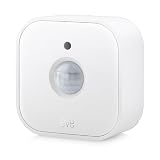
- 120° field of view and up to 9 m detection range. Indoors and outdoors thanks to IPX3 water resistance and wireless battery operation.
- Control your lights and appliances with movement, and receive notifications when motion is detected (available on selected platforms). Refine automations by brightness in the Eve app for iOS.
- Matter-enabled to let you seamlessly monitor your home across smartphones and voice assistants of all major platforms. Cutting-edge Thread network technology for a robust smart home.
- 100% Privacy: No Eve cloud, no registration, no tracking. Local communication without cloud dependency.
- Eve Motion requires iOS/iPadOS 16.4 (or later) or Android 8.1 (or later) plus a hub of your chosen platform: Apple Home: Apple TV 4K (2nd gen / 3rd gen 128 GB), HomePod (2nd gen), HomePod mini / Samsung SmartThings: SmartThings Hub v3 / Amazon Alexa: Echo (4th gen), Echo Hub, Echo Plus (2nd gen), Echo Show 8 (3rd gen), Echo Show 10 (3rd gen), Echo Studio, eero 6 / 6+ / Pro 6 / Pro 6E / Max 7 / Google Home: Nest Hub (2nd gen), Nest Hub Max, Nest Wifi, Nest Wifi Pro
Smart Buttons — Tap to Control Your Smart Home
Smart buttons offer a simple, renter-friendly way to control lights, scenes, or even full-home automations with a single press. They’re perfect for guests, kids, or anyone who prefers tactile control over voice commands or apps.
Aqara Wireless Mini Switch (HomeKit Compatible)
Best for: Budget-friendly physical control of HomeKit scenes
Price: ~$17–20
Why It’s Great:
- Native HomeKit support (through Aqara Hub)
- Programmable for single press, double press, or long press — trigger different actions with each
- No wiring — battery-powered and completely portable
- Tiny, minimalist design — fits anywhere (nightstands, desks, entryways)
- Extremely affordable entry into HomeKit automations
Considerations:
- Requires an Aqara Hub for HomeKit integration
- Uses Zigbee, not Wi-Fi

- 【Notes】AN AQARA HUB IS REQUIRED AND SOLD SEPARATELY.(NOTE:Not support hubs from other brands.) Requires a secured 2.4 GHz Wi-Fi network connection for Hub M2/ M1S/ E1/M1S Gen2 and Camera Hub G2H Pro/ G2H, and 2.4/ 5 GHz Wi-Fi for Camera Hub G3/Hub M3. ( Wired connection via Ethernet RJ45 for Hub M3/ Hub M2 is also supported). Additionally, please connect the Aqara Wireless Mini Switch to Aqara hub before connecting to Apple HomeKit or enabling skills in Google Home and Alexa.
- 【Proximity】For a sturdy connection, ensure that the Aqara Wireless Mini Switch is within 400 inches of the Aqara Zigbee hub, and the hub is within the same range from the Wi-Fi router. Additionally, make sure the hub and the router are on the same local area network (LAN).
- 【ONE TOUCH CONTROL & 3 CONTROL SETTINGS】A wireless versatile remote to control your smart home devices. Additionally, Set single press, double press, and long press to control programmable functions, such as turning on/off a device, activating a scene, etc.
- 【EMERGENCY BUTTON】When an emergency occurs in your house, your loved ones can press the button to send an alert notification to your device, or trigger the alarm sound on the Aqara Hub in another room.
- 【DOORBELL BUTTON】The device can also be used as a doorbell when connected to the Aqara Hub, which offers a selection of different ring tones.Please pull the battery tab out before use. If the device does not work, check to see if the battery is depleted.In addition, Aqara offers 12-months after-sales service. If you have any questions, please feel free to contact us.
Smart Speakers — Voice Control for Your Smart Home
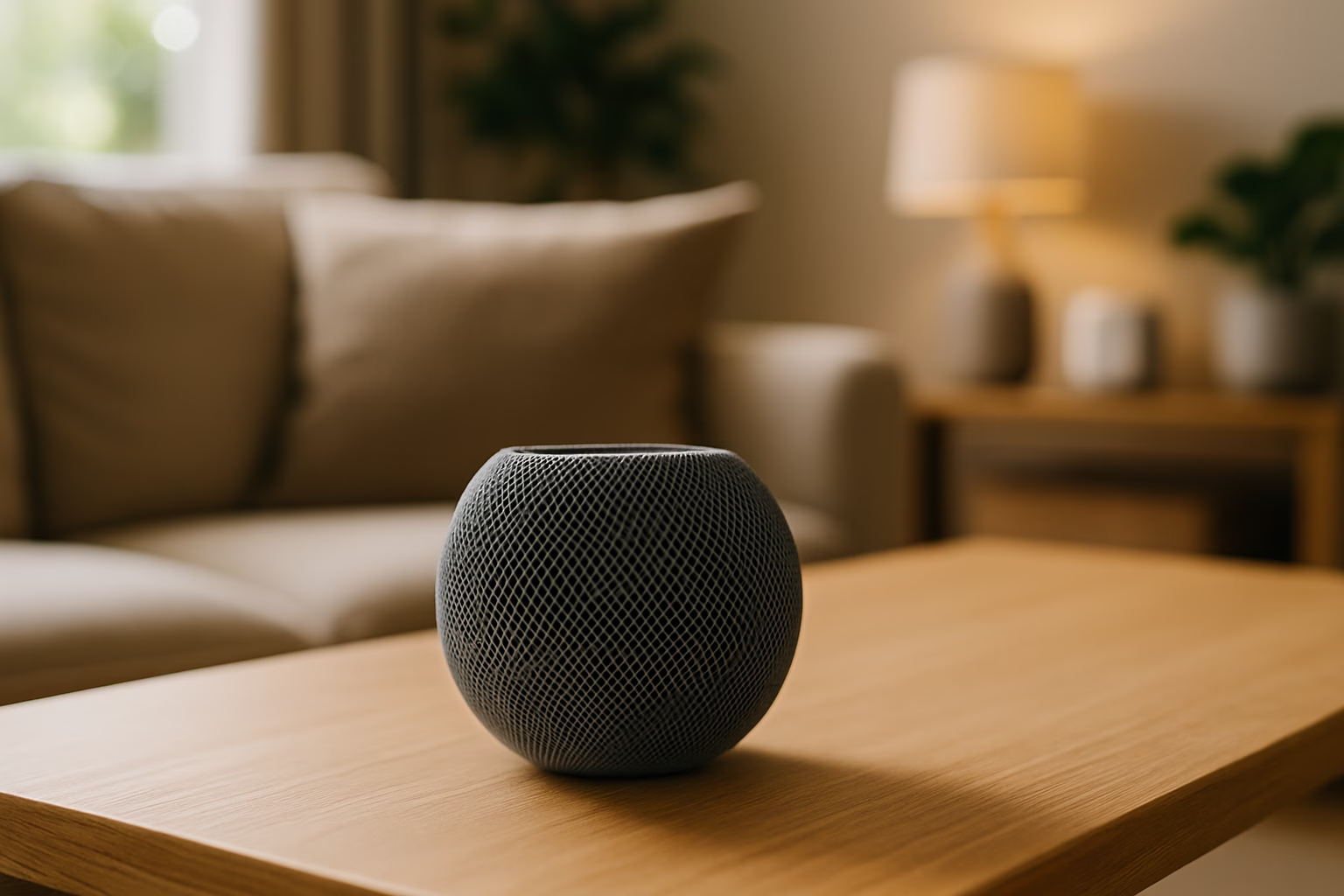
A HomePod or HomePod Mini isn’t just for music — it’s the brain of a HomeKit setup. It acts as a Home Hub, enabling automations, remote control, and Siri voice commands throughout your home.
Apple HomePod Mini
Best for: Seamless Siri control and setting up a full HomeKit network
Price: ~$129
Why It’s Great:
- Works as a Home Hub, unlocking remote access and automations in HomeKit
- High-quality sound for its size — great for music, podcasts, and calls
- Always-on Siri for controlling lights, locks, plugs, scenes, and more
- Privacy-first — data is processed on-device whenever possible
- Compact and stylish — fits in any room without looking techy
Considerations:
- Only works within the Apple ecosystem (not cross-compatible with Alexa or Google)
- Needs to stay plugged in and connected to Wi-Fi

- Rich, 360-Degree Sound – Delivers deep bass and crisp high frequencies for immersive audio in any room.
- Siri Voice Assistant – Control music, smart home devices, and get information hands-free.
- Seamless Apple Integration – Works effortlessly with iPhone, iPad, Mac, and Apple TV for a connected experience.
- Compact & Stylish Design – Small but powerful, fits perfectly in any space.
- Privacy & Security – Designed to keep your personal information safe and secure.
Tip: You can start your HomeKit system without a Home Hub, but having a HomePod Mini makes everything faster, smarter, and remotely accessible even when you’re away from home.
Smart Cameras — Privacy-First Home Monitoring
If you’re looking for extra security, a HomeKit-compatible indoor camera lets you monitor your home with end-to-end encryption and no mandatory cloud subscriptions when using HomeKit Secure Video.
Eufy Security Indoor Cam 2K
Best for: Affordable, private home monitoring under $50
Price: ~$45–50
Why It’s Great:
- Native HomeKit, HomeKit Secure Video, Alexa, and Google compatibility
- 2K HD video quality with a wide-angle lens
- Supports local storage with a microSD card (no subscription required)
- Great for monitoring pets, nurseries, front entryways, or small apartments
- Compact design — easy to place anywhere
Considerations:
- Requires a Home Hub (like HomePod Mini or Apple TV) for HomeKit Secure Video features
- No built-in battery — needs constant power via USB

- Relevant Recordings: The on-device AI determines whether a human or pet is present and only records when an event of interest occurs.
- The Key is in the Detail: View every event in up to 2K clarity (1080P while using HomeKit) so you see exactly what is happening inside your home.
- Communicate From Your Camera: Speak in real-time to anyone who passes via the camera’s built-in two-way audio.
- Smart Integration: Connect your Indoor Cam to Apple HomeKit(Please download our HomeKit User Guide in the product information section below), the Google Assistant, or Amazon Alexa for complete control over your surveillance.(HomeKit available via update. When opening HomeKit, users must add the device in the eufy Security app and then complete the activation process.)
- Sight at Night: Advanced night vision allows you to keep an eye on any room, even in low light settings.
Tip: With HomeKit Secure Video, your camera footage is analyzed locally and encrypted before being uploaded to iCloud, so even Apple can’t see it. Great for privacy-focused users!
Why Choose HomeKit Over Alexa or Google Home?
When you’re investing in smart home devices, choosing the right ecosystem matters. For Apple users, HomeKit offers several major advantages over Amazon Alexa and Google Home, especially if you value privacy, simplicity, and seamless iOS integration.
Here’s why HomeKit stands out:
1. Privacy-First Design
Apple built HomeKit around privacy.
- Device control happens locally whenever possible, not through third-party cloud servers
- HomeKit Secure Video encrypts footage end-to-end before it’s stored in iCloud
- No data mining or targeted advertising based on your smart home usage
In short: your data stays yours.
2. Seamless Integration with Apple Devices
If you already use an iPhone, iPad, Mac, or Apple Watch, HomeKit feels like a natural extension of your daily life.
- Control everything through the Home app preinstalled on iOS and macOS
- Set automations based on location, time, motion, or device status with no extra apps needed
- Use Siri to control your entire home hands-free
3. Local Control = Faster, More Reliable Smart Home
HomeKit devices typically communicate over your local network (Wi-Fi, Thread, or Zigbee via hubs) instead of relying on remote cloud servers.
The result?
- Faster response times
- Fewer internet-related failures
- Smarter automation, even if your internet goes down
4. Future-Proofing with Matter and Thread
New HomeKit-certified devices increasingly support Matter and Thread, two major smart home standards designed for better cross-platform compatibility, faster connections, and longer device lifespans.
Apple is one of the founding members of Matter, meaning HomeKit devices will remain relevant and interoperable as smart homes evolve.
In short, if you value security, privacy, and a seamless Apple experience, HomeKit is the best smart home platform to build around, and it keeps getting better.
Tips for Getting Started with HomeKit
Starting your smart home journey with the best Apple HomeKit devices under $100 is easier than you might think, but a few simple tips can help you get set up faster and smarter.
1. Start with Simple Devices
Begin with basics like smart plugs, bulbs, or sensors. These are affordable, easy to install, and give you immediate hands-free control over your environment.
2. Set Up a Home Hub
To unlock remote control, advanced automations, and HomeKit Secure Video, you’ll need a Home Hub. Options include:
- HomePod Mini (recommended)
- Apple TV 4K (4th gen or later)
- An always-on iPad (less ideal, but it works)
Once your hub is set up, you’ll be able to control devices from anywhere.
3. Create Automations Early
Don’t just control devices manually; start creating automations that trigger based on time, motion, or your location. Examples:
- Turn off all lights when you leave home
- Turn on a nightlight when motion is detected in the hallway after dark
- Start a “Good Morning” scene when your alarm goes off
The Home app makes this surprisingly easy.
4. Keep Privacy Settings Tight
HomeKit gives you privacy by default, but always double-check:
- Only authorize trusted devices
- Turn on end-to-end encryption when available (especially for cameras)
5. Expand Gradually
Once you’re comfortable with the basics, you can expand your HomeKit setup with smart locks, thermostats, doorbells, cameras, and more, often without needing to change your wiring or call a professional.
Conclusion: Smarter Living, Apple Style
Building a smarter home doesn’t have to be complicated or expensive. Thanks to the growing ecosystem of affordable HomeKit-compatible devices, it’s easier than ever to enjoy voice control, automation, and enhanced security while staying firmly in the Apple ecosystem you trust.
From smart plugs and bulbs to sensors and security cameras, the best Apple HomeKit devices under $100 deliver powerful features, privacy protection, and seamless integration with your iPhone, Apple Watch, or HomePod.
Whether you’re just getting started or expanding an existing setup, these devices help you create a smarter, more comfortable, and more secure living space, with no complicated apps, no subscriptions, and no compromises.
Ready to start your HomeKit journey? Explore our recommendations, set up your first scene, and see how simple smart living can be. If you get stuck, contact our IT support team! We’ll help you get up and running quickly and easily.
If you’re also looking for affordable smart home upgrades beyond Apple’s ecosystem, check out our guide to the best smart home devices under $100.
Are you renting your home? Explore our picks for the best smart home devices for renters. No drilling required!