MacBook vs Windows Laptop: Which Is Right for You in 2025?
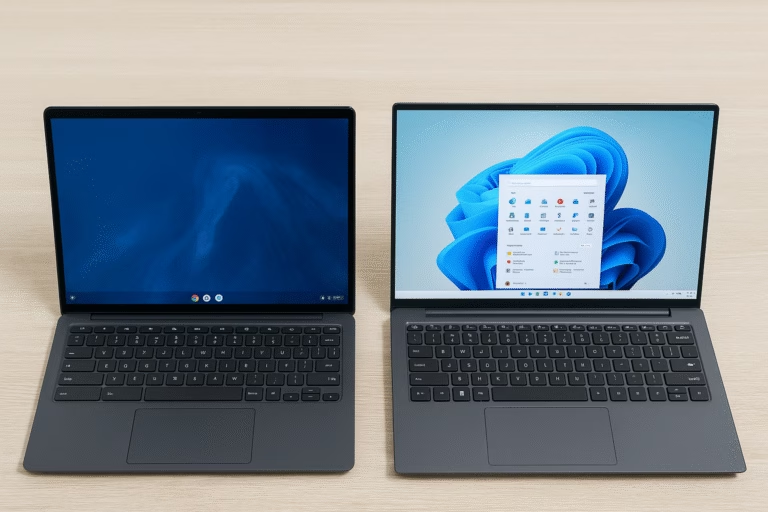
It’s one of the most debated decisions in tech: MacBook vs Windows laptop. Whether you’re a student, professional, or creative, choosing the right laptop can shape how smoothly you work, study, and create. Apple’s MacBooks are known for their sleek design, long battery life, and tight integration with other Apple devices. On the other hand, Windows laptops offer far more variety, price points, and hardware configurations, making them a strong contender for nearly every type of user.
In this guide, we’ll break down the real-world differences between MacBooks and Windows laptops across performance, price, features, and more to help you find the best fit for your workflow.
Before diving into specific recommendations, it helps to understand how these two platforms stack up at a glance. From operating systems and app compatibility to hardware options and overall user experience, the differences between a MacBook and a Windows laptop go far beyond just the logo on the lid. Let’s start with a quick side-by-side comparison to highlight where each platform shines and where it might fall short for your needs.
Affiliate Disclosure
This post contains affiliate links. If you click a link and make a purchase, we may earn a small commission at no extra cost to you. As an Amazon Associate, we earn from qualifying purchases.
MacBook vs Windows Laptop: Quick Comparison
| Feature | MacBook | Windows Laptop |
|---|---|---|
| Operating System | macOS | Windows 11 |
| Device Variety | Limited (Air and Pro lines only) | Wide range (budget to premium, 2-in-1s, gaming) |
| Price Range | Premium only ($999 and up) | Broad range ($300 to $3,000+) |
| Performance | Consistent with Apple silicon (M-series) | Varies by model — many powerful configurations |
| App Ecosystem | Best for creatives and Apple-first users | More flexible with wider software compatibility |
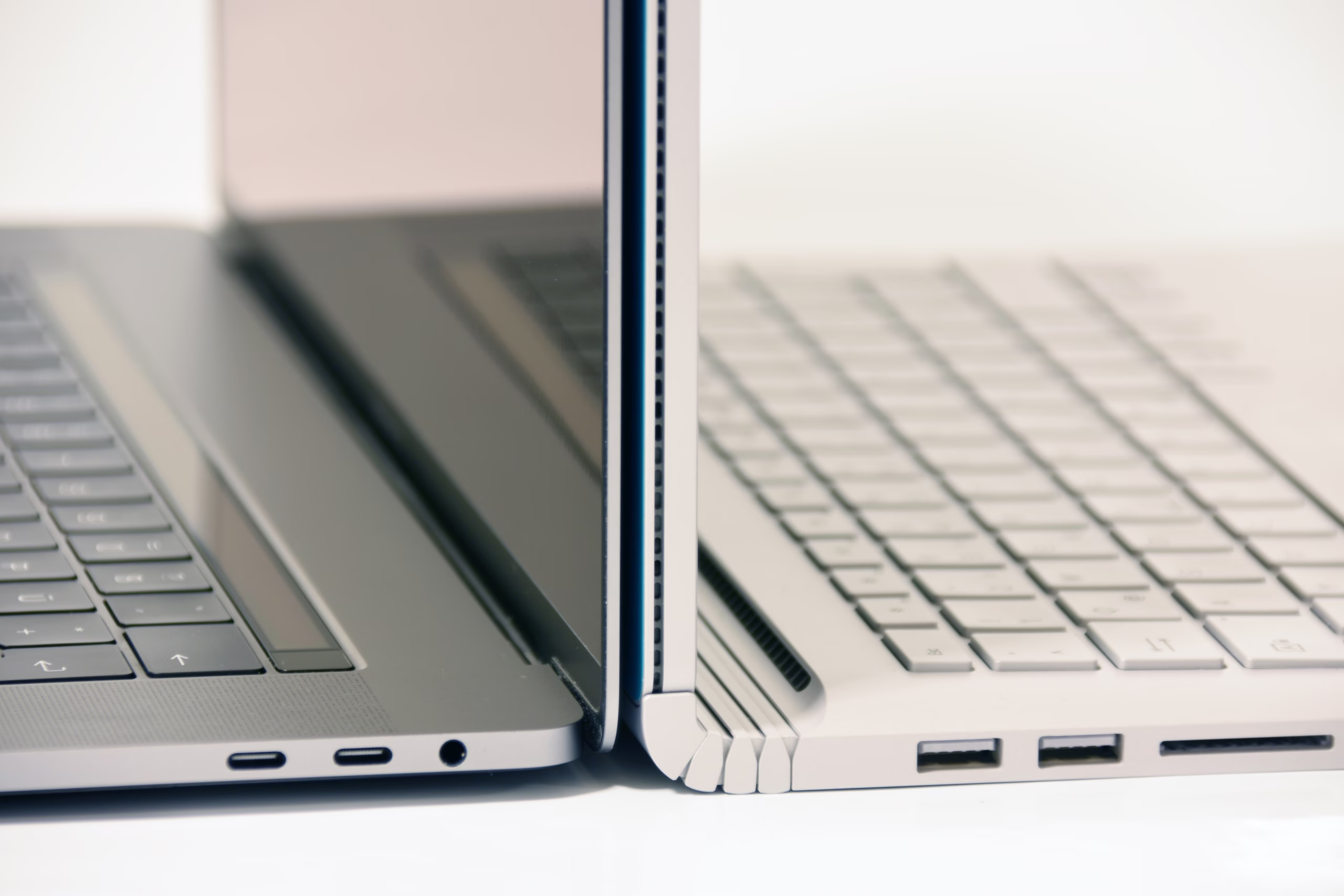
| Ports & Connectivity | Fewer ports, USB-C focused | Generally more ports and expandability |
| Repairability | Limited, expensive repairs | Varies, often more repair-friendly |
| Touchscreen Support | Not available | Common on many models |
| Best For | Students, creatives, remote workers | General use, business, gaming, power users |
When to Choose a MacBook
If you’re already in the Apple ecosystem, prioritize battery life, or need a machine that “just works” with minimal configuration, a MacBook is a strong choice. macOS is known for its stability, clean interface, and seamless integration with devices like iPhones, iPads, and AirPods. Students, remote workers, and creative professionals often appreciate the quiet performance and build quality of Apple’s laptops.
Recommended Pick: MacBook Air (M4, 2025)

- SPEED OF LIGHTNESS — MacBook Air with the M4 chip lets you blaze through work and play. With Apple Intelligence,* up to 18 hours of battery life,* and an incredibly portable design, you can take on anything, anywhere.
- SUPERCHARGED BY M4 — The Apple M4 chip brings even more speed and fluidity to everything you do, like working between multiple apps, editing videos, or playing graphically demanding games.
- BUILT FOR APPLE INTELLIGENCE — Apple Intelligence is the personal intelligence system that helps you write, express yourself, and get things done effortlessly. With groundbreaking privacy protections, it gives you peace of mind that no one else can access your data — not even Apple.*
- UP TO 18 HOURS OF BATTERY LIFE — MacBook Air delivers the same incredible performance whether it’s running on battery or plugged in.*
- A BRILLIANT DISPLAY — The 13.6-inch Liquid Retina display supports 1 billion colors.* Photos and videos pop with rich contrast and sharp detail, and text appears supercrisp.
Apple’s newest MacBook Air with the M4 chip brings even more performance to its ultra-thin design. With a fanless chassis, all-day battery life, and blazing-fast speeds for everyday apps, it’s ideal for productivity on the go. Perfect for students, writers, and professionals who don’t need pro-level power but still want premium quality.
When to Choose a Windows Laptop
If you want maximum flexibility in hardware, pricing, and functionality, a Windows laptop is the way to go. Whether you need a budget-friendly machine for everyday use or a powerhouse for development, business, or creative workflows, the Windows ecosystem has you covered. You’ll find touchscreens, 2-in-1s, gaming-ready GPUs, and a wide range of form factors that aren’t available in the MacBook lineup.
Windows also plays better with enterprise tools, offers broader software compatibility, and typically gives you more control over your system.
Recommended Pick: ASUS Zenbook 14 OLED

- [High Speed Memory & Storage & OS] Seal is opened and resealed for upgrade only. Upgraded to 16GB DDR5 SDRAM; 512GB PCI-E NVMe SSD; Windows 11 Home
- [AMD Ryzen 7 8840HS Processor] Latest powerful and efficient AMD Ryzen 7 8840HS Processor (Up to 5.1 GHz, 24 MB AMD 3D V-Cache, 8 Cores, 16 Threads)
- [14″ OLED WUXGA Touchscreen] 1920 x 1200 pixels, multi touch-enabled, 500 nits, 16:10 aspect ratio, 100% DCI-P3, Thin Bezel LCD; Powered by [AMD Radeon Graphics]
- [Connection & Ports] Wi-Fi 6E (2×2) 802.11AX and Bluetooth 5 Combo; 1x USB 4.0 Type-C support Power Delivery / DisplayPort, 1x USB 3.2 Gen 2 Type-C support Power Delivery / DisplayPort / 10Gbps, 1x USB 3.2 Gen 1 Type-A support 10Gbps, 1x HDMI v2.1, 1x Headphone and microphone combo jack
- [Features] Backlit Keyboard; 1080p FHD Camera with Privacy Shutter; 75Whr 4-Cell lithium-ion battery (up to 8 hours battery life); 12.30″ x 8.67″ x 0.59″ inches, 2.82 lbs; Jade Black; 65W AC Adapter; Free COU 32GB USB Drive included
The Zenbook 14 OLED balances stunning visuals with high performance in a slim, travel-friendly chassis. Its AMD Ryzen or Intel Core Ultra chips deliver power for multitasking, while the OLED display makes everything from spreadsheets to movies look gorgeous. It’s a solid pick for professionals, creators, and students alike.
Recommended Pick: ASUS ExpertBook P5 (Copilot+ PC)

- ASUS ExpertBook/GREY/14.0 WQXGA(WQ) non-Touch/CORE ULTRA 7 258V/32GB/Intel UMA/1TB/WIN11 HOME
- AI-Powered performance for multitasking — Intel Core Ultra 7 Processor 258V with Intel AI Boost NPU offering up to 47 TOPS for AI task processing, and Intel Arc 140V Graphics for smooth visuals.
- Microsoft Copilot in Windows — Help is here with Copilot in Windows, your everyday AI companion. Get answers, generate images, summarize texts, and more.
- Fast and seamless — Lightning-fast 1 TB SSD storage, 32 GB of 8448 MHz LPDDR5X RAM, and Wi-Fi 6E, ensuring seamless connectivity and operation.
- Thin-and-light design for portability — Slim profile at just 0.65 inches thin and a lightweight all-metal 2.84 lb chassis.
With the new Copilot+ AI features, the ExpertBook P5 brings intelligent performance to everyday business tasks. It’s lightweight, fast, and optimized for productivity, making it a great choice for mobile professionals or anyone looking for the next generation of Windows laptops.
Key Considerations Before You Decide
Choosing between a MacBook and a Windows laptop comes down to more than specs; it’s about how you work, what you prioritize, and which ecosystem fits your lifestyle. Here are a few things to keep in mind:
- Budget – MacBooks start at a premium price, while Windows laptops offer options for every price range.
- Your workflow – If you rely on macOS apps like Final Cut Pro or Logic, a MacBook makes sense. If your work depends on tools like AutoCAD, Microsoft Access, or niche Windows software, stick with Windows.
- Ecosystem compatibility – Already use an iPhone, iPad, or Apple Watch? A MacBook will fit seamlessly. Prefer flexibility or use Android? Windows might feel more familiar.
- Hardware needs – Do you want a touchscreen? 2-in-1 design? Gaming GPU? Windows has more options.
- Repairability and ports – Need expandability or easier repairs? Windows laptops offer broader support and port variety.
Platform & Ecosystem Differences
The choice between a MacBook and a Windows laptop isn’t just about hardware; it’s also about which software ecosystem you’ll be living in.
macOS is clean, secure, and tightly integrated with other Apple devices. Features like Handoff, AirDrop, and Universal Clipboard create a seamless experience across iPhones, iPads, and Macs. You’ll get access to exclusive apps like Final Cut Pro and Logic Pro, and macOS updates tend to be consistent across all MacBook models.
Windows 11, on the other hand, offers more flexibility. It supports a broader range of software, hardware, and peripherals. You can customize the UI, connect more accessories, and run almost any program, especially enterprise and legacy software that isn’t available on macOS. If you use a lot of third-party apps or play games in your spare time, Windows is more versatile.
Neither platform is objectively “better”; it depends on your habits, devices, and needs. Think about what software you rely on and whether you already use other Apple or Microsoft products daily.
Specs at a Glance: MacBook vs Windows Laptop Picks
| Device | CPU | RAM | Battery Life | Weight |
|---|---|---|---|---|
| MacBook Air (M4) | Apple M4 | 16GB | Up to 18 hrs | 2.7 lbs |
| ASUS Zenbook 14 OLED | AMD Ryzen 7 / Intel Core Ultra | 16GB | Up to 13 hrs | 2.8 lbs |
| ExpertBook P5 (Copilot+) | Snapdragon X Elite | 16GB | Up to 18 hrs | ~2.5 lbs |
Frequently Asked Questions
It depends on your major and workflow. A MacBook is great for writing, media editing, and portability, especially if you already use an iPhone or iPad. However, Windows laptops are often more affordable and compatible with a broader range of software, which can be helpful for STEM or business students.
Yes! Microsoft Office is fully supported on macOS, including Word, Excel, PowerPoint, and Outlook. While the Mac version has a slightly different interface from Windows, it’s still feature-rich and works seamlessly across devices.
Absolutely. Most Windows laptops allow you to choose from different hardware configurations, add storage or RAM, and even upgrade components later, which MacBooks generally do not allow post-purchase.
MacBooks are known for their longevity thanks to Apple’s hardware and software integration. However, high-end Windows laptops can last just as long with proper care. Mid-range and budget Windows devices may require upgrades or replacements sooner.
You can use a MacBook with non-Apple products, like Android phones or generic USB accessories. However, you won’t get the same seamless experience as you would within the Apple ecosystem. Windows tends to offer more universal compatibility.
Windows laptops win by a landslide here. Most MacBooks don’t support dedicated GPUs or popular gaming platforms like Steam as robustly as Windows laptops. If gaming is a priority, stick with Windows.
Final Verdict: MacBook or Windows Laptop?
If you value simplicity, long battery life, and tight integration with your other Apple devices, a MacBook is an excellent choice. Its performance, especially with the M-series chips, makes it ideal for writers, students, developers, and creatives who want a premium, all-around machine.
But if you need more flexibility, whether it’s a touchscreen, a lower price point, or specific software support, a Windows laptop is often the better fit. With dozens of models to choose from, you’re more likely to find something that matches your exact budget, workflow, and preferences.
In the MacBook vs Windows laptop debate, there’s no one-size-fits-all answer, but now you’re equipped to make the right call.
Still not sure? Check out our Laptop Buying Guide for 2025 to explore more options, or contact us for a personalized recommendation!